> For the complete documentation index, see [llms.txt](https://academy.dnanexus.com/llms.txt). Markdown versions of documentation pages are available by appending `.md` to page URLs; this page is available as [Markdown](https://academy.dnanexus.com/cohortbrowser/cohort_browser/germline-data-exploration.md).
# Germline Data Exploration
*Please note, the data present in this page is synthetic data, and is intended for training purposes only. Information about the data present in this documentation is listed*[ *here*](/cohortbrowser/apollo_introduction.md)*.*
When germline variant data is present in your data ingestion for the cohort, the Germline Variants tab will appear in the Cohort Browser. The goal of viewing data within the Germline Variants tab is to view germline mutations in genes or genomic regions of interest.
## Features of the Germline Variants Tab
### Overview of the Germline Variants Tab
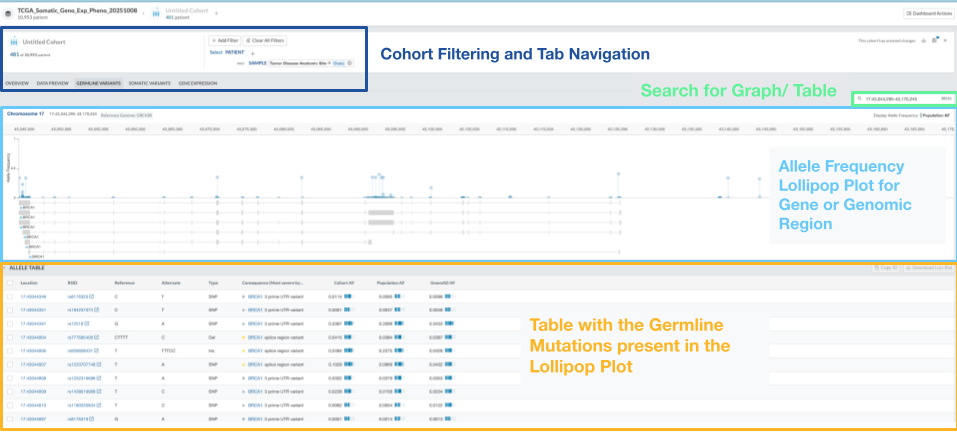
Within the Germline Variants Tab, there are the following sections: the search bar for genes by gene symbol and genomic ranges, the Allele Frequency Lollipop Plot, and the Allele Table with the germline mutations that are present in the lollipop plot above. The tables and figures of the Germline Variants Tab are highlighted in the figure below:
### Lollipop Allele Plot
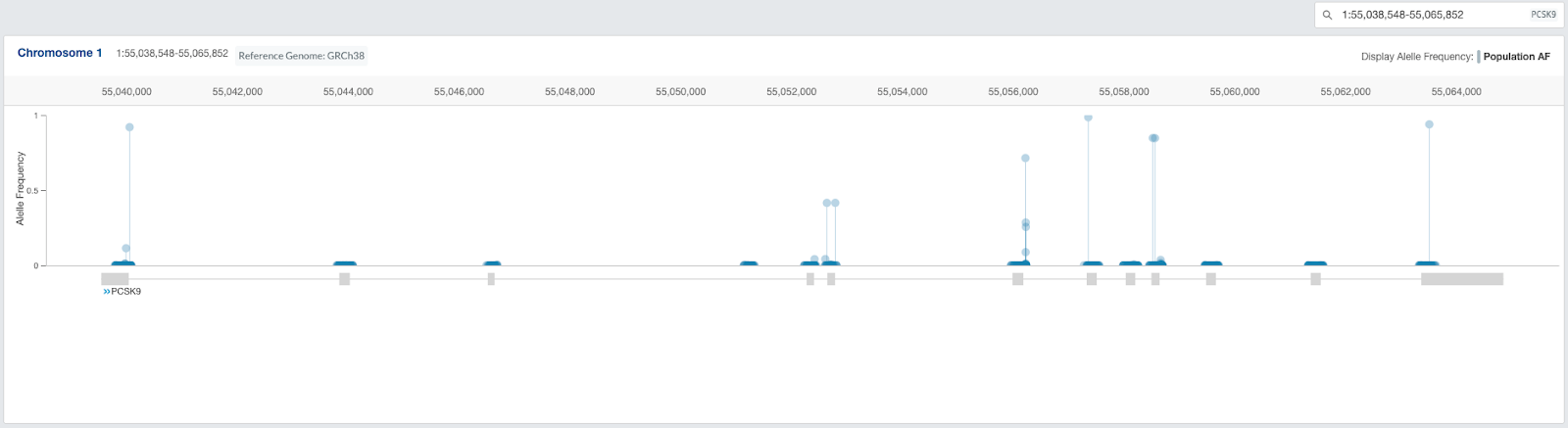
The first figure that is shown on the tab is the lollipop plot. The x axis is the position of the mutation, and the y axis is the allele frequency. You can search for the genomic range by Gene Symbol, Genomic Range, or rsID. The lollipop plot and allele table will be updated once you search for the new genomic range.
### Allele Table
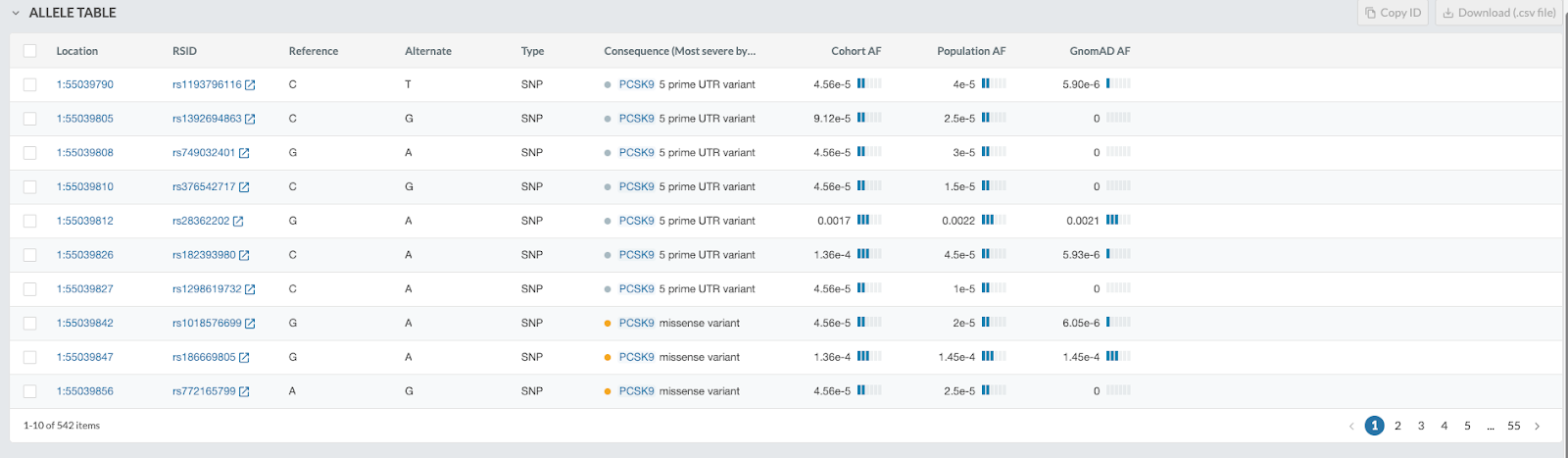
The second figure that is shown on the tab is the Allele Table. The columns available are the location (defined by chromosome and position), rsID, Reference and Alternate nucleotide, Type of Mutation, Consequence, Cohort AF (Allele Frequency), Population AF, and GnomAD AF. You can search for the genomic range by Gene Symbol, Genomic Range, or rsID. The lollipop plot (described above) and allele table will be updated once you search for the new genomic range.